Guide
How to scan multiple pages into one PDF
Keep scanning in the same session. Scanner apps add each new page to the same document until you tap Done or Save, and the result is a single PDF.
On iPhone
- Start a scan in Files or Notes with Scan Documents.
- After the first page is captured, put the next page under the camera. It is added to the same scan.
- When every page is in, tap Done.
On Android
- Start a scan in Google Drive with the camera button.
- After the first page, tap Add and capture the next one.
- Tap Done, choose .pdf and tap Save.
With DafScan
- Tap Scan and capture the pages one after another.
- On the review screen, swipe through the pages. Rotate or delete any that went wrong, or tap Add page.
- Tap Save, then Share PDF. All the pages go out as one file.
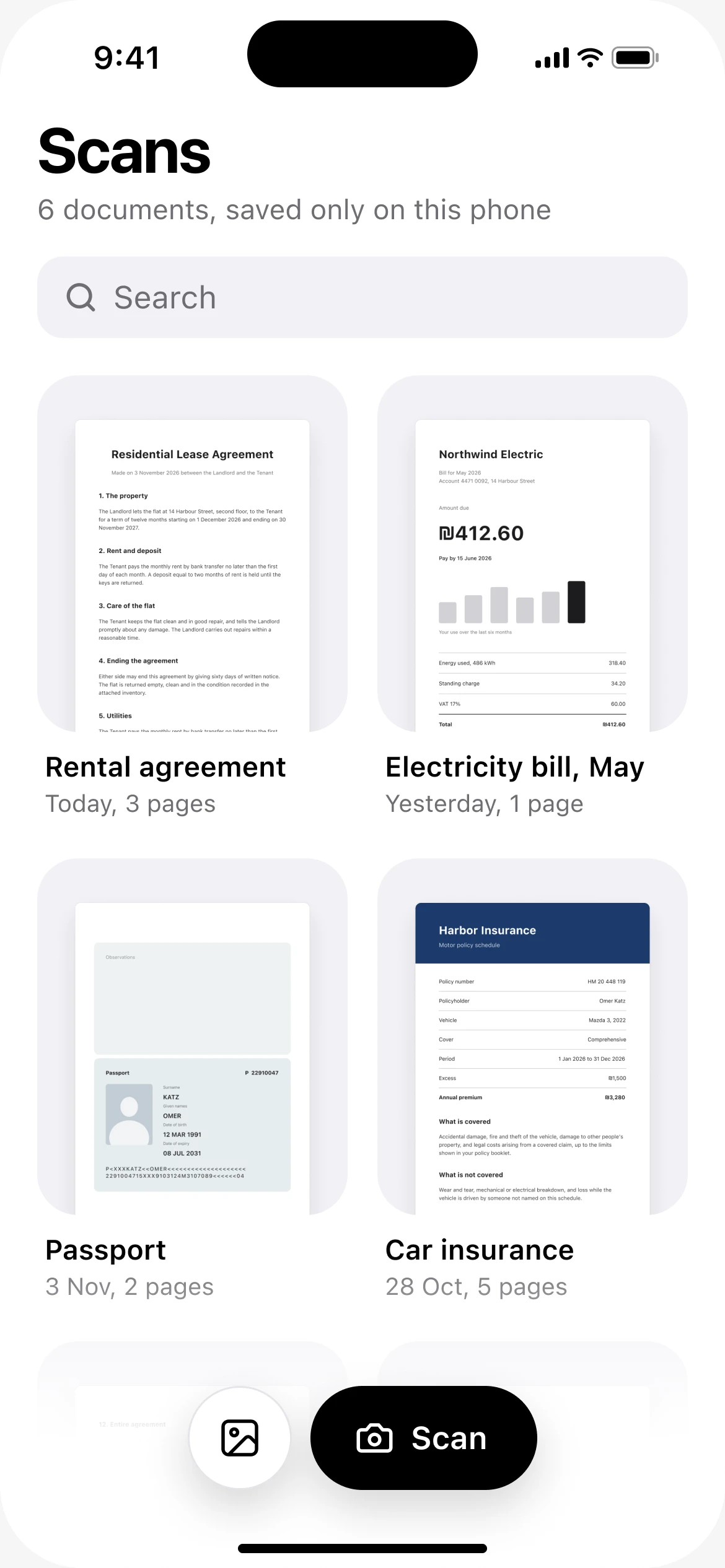
Tap Scan 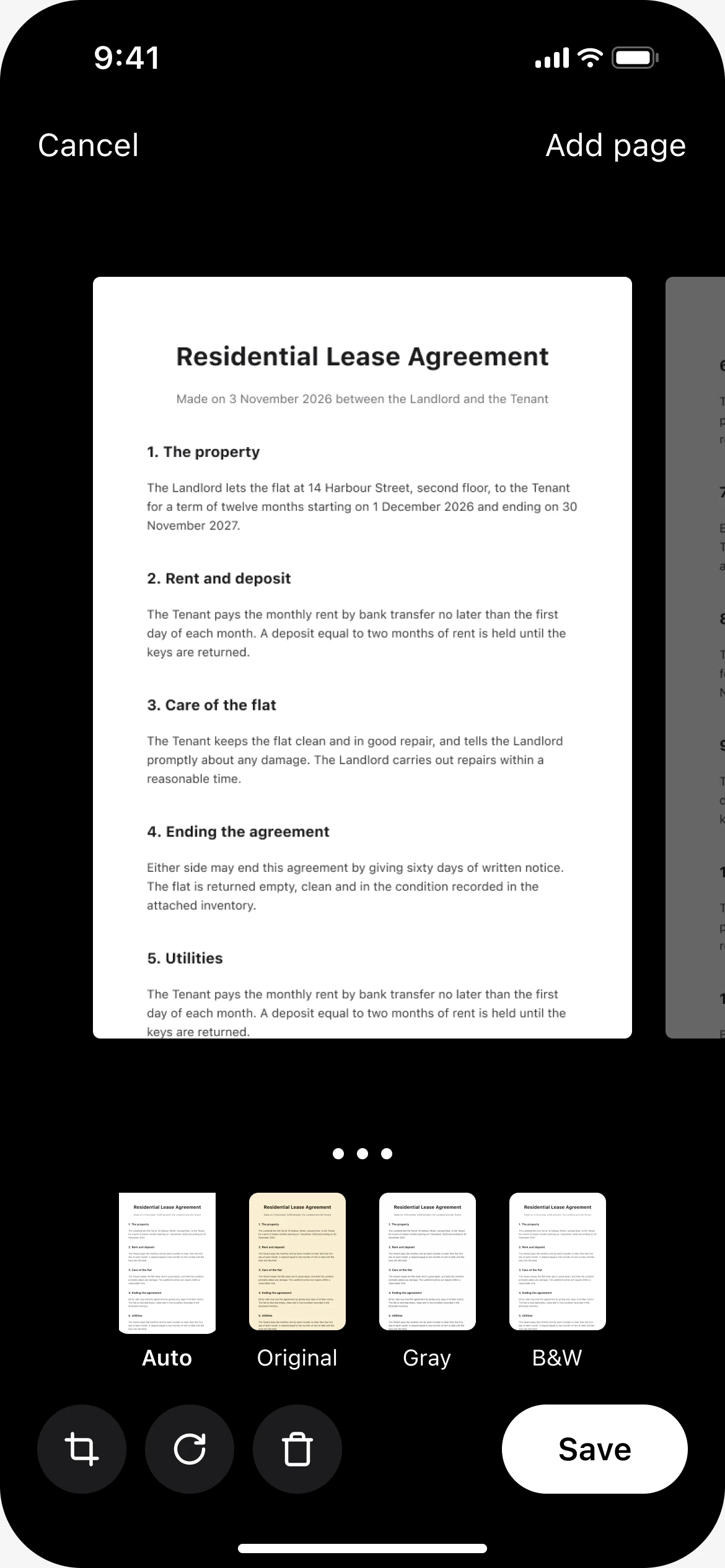
Check the pages and save 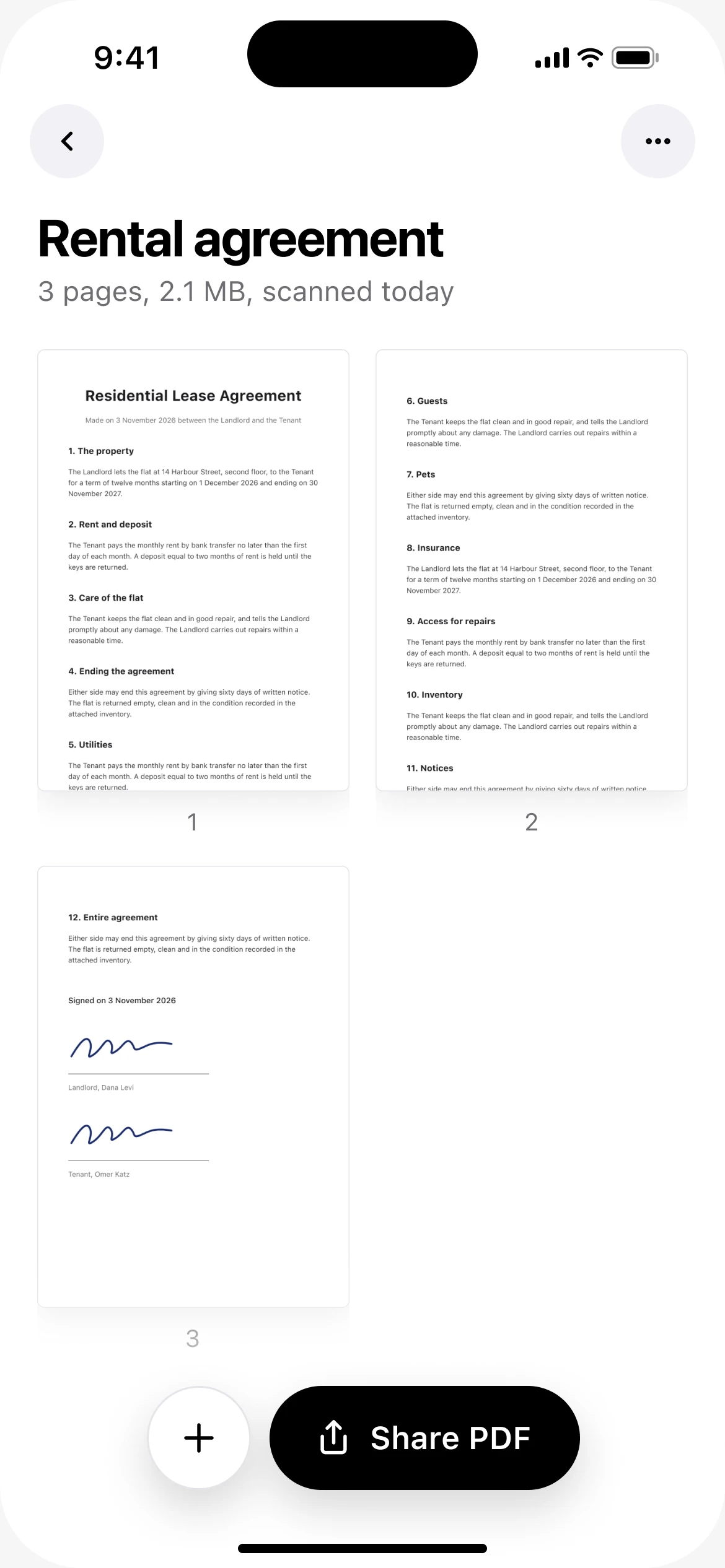
Share the PDF
Forgot a page? Open the document, tap the plus button and scan it or pick it from your photos. The next PDF you share includes it.
Before you send it
- Scan the pages in reading order, so you do not have to rearrange them.
- Flip through the result once. A missing or blurred page is easier to fix now than after you have sent it.
- For double-sided paper, scan the front and back of each sheet before moving to the next.
Questions
Can I add a page to a document I scanned earlier?
In DafScan, yes. Open the document and tap the plus button. A PDF you already saved with Files or Drive has to be scanned again.
Does a multi-page PDF cost anything?
No. DafScan has no page limit behind a paywall, no ads and no watermark.
What is the best app to scan multiple pages into one PDF?
Any scanner that keeps adding pages to the same document will do: Files on iPhone, Google Drive on Android, or DafScan on both. DafScan also lets you add a page to a document later.
Updated November 2026